Assign Roles and Control Access with Ease
Timestat makes it easy to define responsibilities and control access across your organization. Assign roles, update permissions, and manage users without complexity.
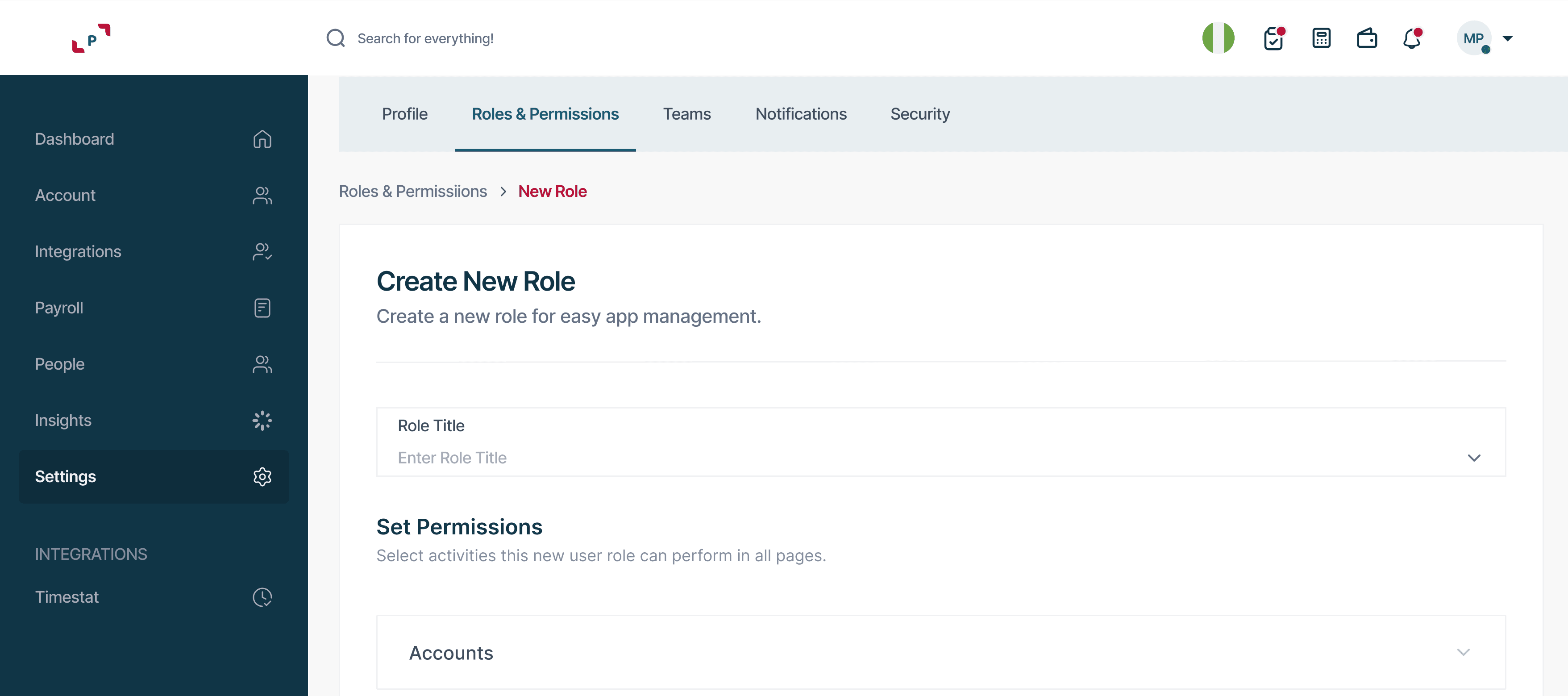
Getting Started
Assign Roles and Control Access with Ease
Define responsibilities, configure permissions, and keep your organization running securely — all from one place.
Define Roles
Identify the roles you need — such as Admin, HR, or Supervisor — based on how your organization operates. Roles set the foundation for every access decision.
Assign Roles to Employees
Assign each employee a role during onboarding or update it anytime from the admin panel. Role changes take effect immediately.
Configure Permissions
Control what each role can access — attendance data, employee records, shift management, or system settings. Granular controls let you tailor access precisely.
Manage Access Over Time
As employees change roles or responsibilities, update their permissions easily without affecting the rest of the system.
Monitor and Support
Admins can oversee all user access, manage invitations, and even impersonate users for troubleshooting when needed.
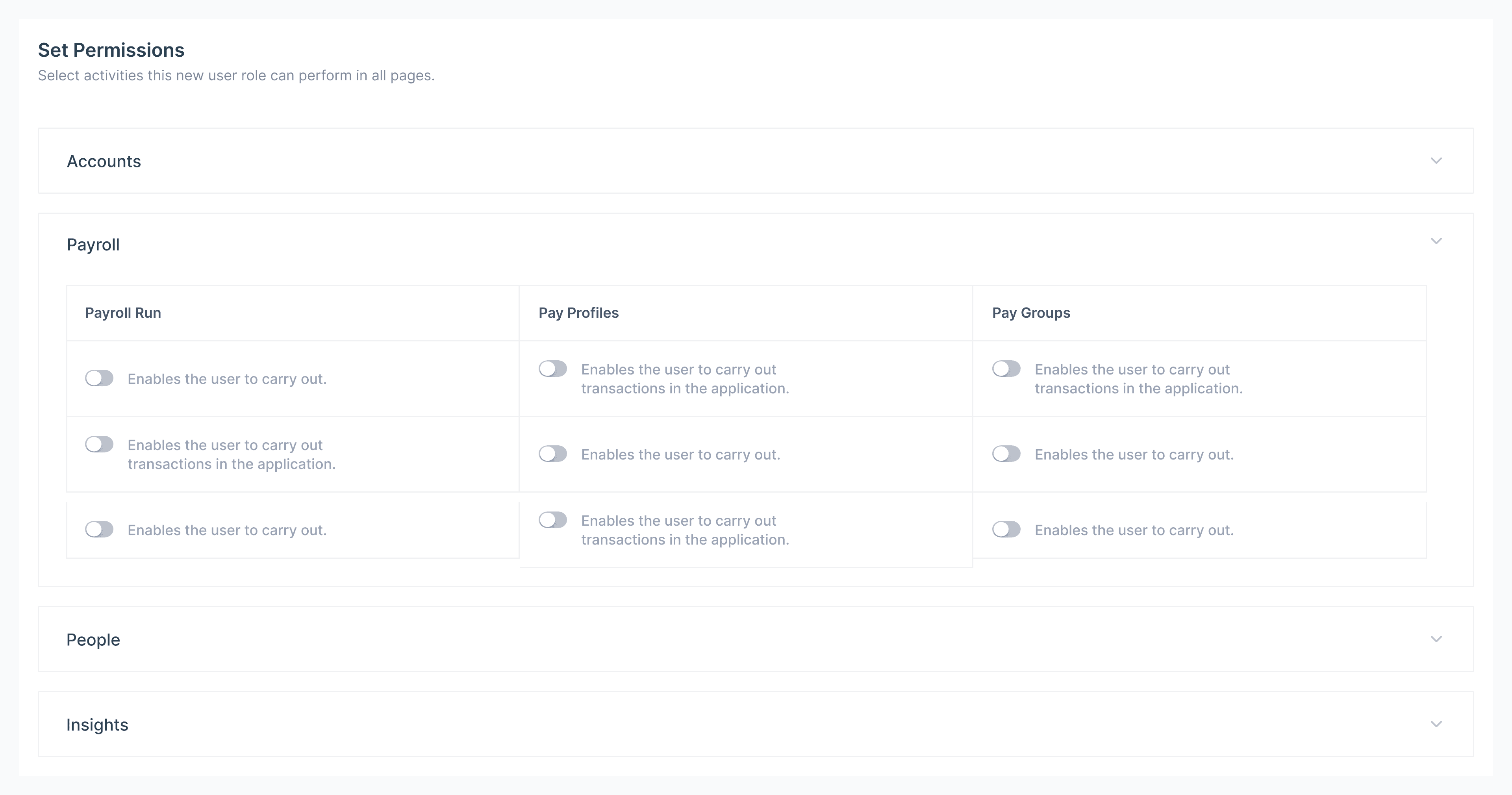
Permissions Matrix
What Each Role Can Do
A clear overview of access levels so you can configure the right permissions for every team member.
Accounts
Control who can create, edit, and deactivate user accounts across the organization.
Payroll
Grant access to payroll runs, pay profiles, and pay groups independently of one another.
People
Decide who can view and manage employee records, departments, and reporting lines.
Insights
Limit reporting and analytics to the roles that need visibility across teams.
Everything Included in Roles & Permissions
Granular Access Control
Define exactly what each role can view, edit, or manage — down to individual modules and data sets.
User Impersonation
Admins can view the system as any user for efficient troubleshooting and support without disrupting workflows.
Audit Trails
Every permission change and login is logged, giving you full visibility into who did what and when.
Take Control of Your Organization's Access
Set up roles and permissions in minutes. No technical expertise required.